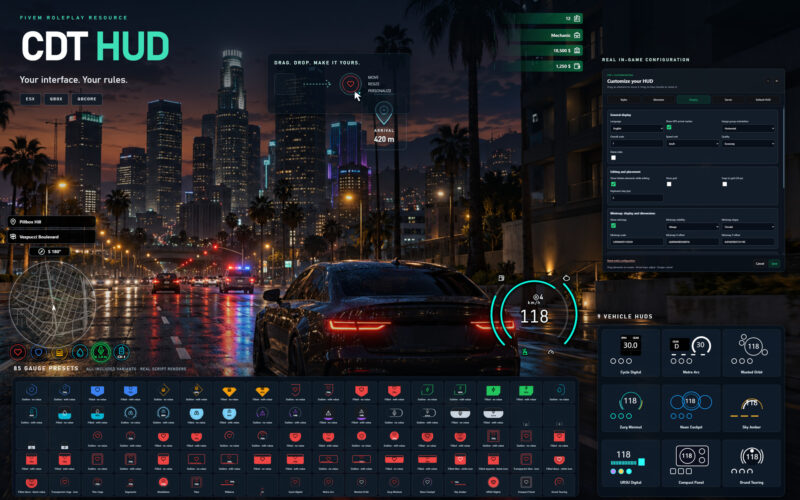




CDT HUD
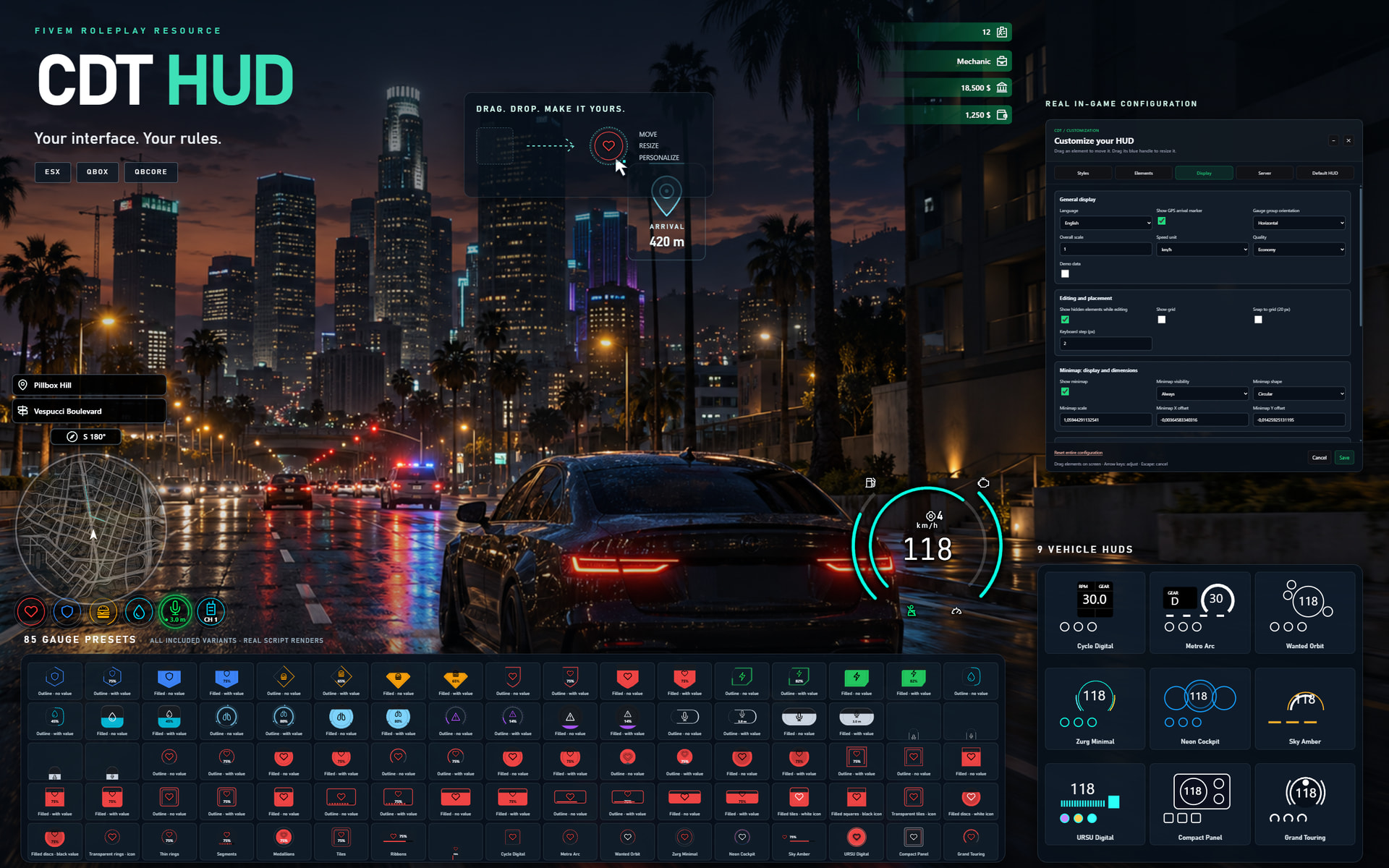
CDT HUD 是一款可配置的 FiveM HUD,带有游戏内编辑器、玩家和车辆指示器、持久的玩家偏好设置和服务器范围的默认布局。
玩家可以通过 /hud 调整 HUD 元素的 appearance 和位置,选择显示设置并保存其偏好设置。
功能特性
-
游戏内自定义: 调整位置、大小、颜色、不透明度、标签和图标,支持多种视觉风格。
-
玩家指示器: 健康、护甲、饥饿、口渴、耐力、氧气和压力。
-
车辆指示器: 速度、转速、档位、燃油和引擎健康。
-
车辆控制: 安全带、可选碰撞弹出、巡航控制、转向灯和危险警示灯。
-
语音和无线电指示器,支持可配置的提供商。
-
位置信息: 街道、区域和指南针方向。
-
框架信息: 现金、银行余额、职业和玩家 ID。
-
圆形或方形小地图,支持可配置的可见性。
-
GPS 到达覆盖层,用于驾驶者的个人航点。
-
电影模式。
-
持久 SQL 配置文件: 偏好设置可在玩家的不同角色间共享。
-
管理员默认设置: 授权的管理员可以为没有个人配置文件的玩家发布默认布局。
-
英语和法语翻译,支持添加更多语言。
-
客户端导出,用于与其他资源集成。
部分指示器需要兼容的框架或数据提供商。
预览
框架和集成
包含 ESX、Qbox 和 QBCore 的框架适配器。
支持自动框架检测。如果没有框架,原生指示器仍然可用;依赖框架的信息需要适当的集成。
燃油、需求、压力和语音提供商可以独立配置。语音集成包括对 pma-voice 的支持。自定义集成可以使用导出、状态包或自定义适配器,具体取决于数据域。
检查服务器上安装的框架和提供商的兼容版本。
前置需求
-
FiveM
-
oxmysql,连接到可工作的数据库
-
您选择的框架以及启用任何指示器所需的提供商
安装
-
下载资源并保留名为
cdt_hud的文件夹。 -
安装和配置
oxmysql。 -
在启动 HUD 之前启动您的框架和数据提供商。
-
在
server.cfg中添加以下内容:
set cdt_language "en"
ensure oxmysql
# Start your framework and providers here.
ensure cdt_hud
-
配置
config.lua和config/integrations.lua。 -
加入服务器并打开
/hud。
数据库表将自动创建。无需前端构建。
用于管理员配置和发布默认布局:
add_ace group.admin cdt.hud.configure allow
如果另一个资源已经管理安全带、巡航控制或指示器,请禁用重叠的车辆控制模块。
默认控制
| 操作 | 默认控制 |
|---|---|
| HUD 编辑器 | /hud 或 F7 |
| 电影模式 | O 或 /hudcinema |
| 安全带 | B 或 /hudbelt |
| 定速巡航 | 左 Shift 或 /hudcruise |
| 左指示器 | 左箭头 |
| 右指示器 | 右箭头 |
| 危险警示灯 | 下箭头 |
键绑定可以通过 FiveM 设置更改。
下载
免费下载,源代码可访问。无需 Discord 会员资格。
支持
安装和配置支持:
CDT Support Discord
加入 Discord 是可选的,并且不需要下载或运行资源。
| 代码可访问 | 是 |
| 基于订阅 | 否 |
| 代码行数(约) | 5,100,包括 Lua 和 HTML/CSS/JavaScript UI |
| 需求与依赖 | FiveM, oxmysql; 框架/提供商按配置 |
| 支持 | 是 — Discord |
查看英文原文 (Original)
CDT HUD
CDT HUD is a configurable FiveM HUD with an in-game editor, player and vehicle indicators, persistent player preferences and server-wide default layouts.
Players can adjust the appearance and position of their HUD elements through /hud, choose their display settings and save their preferences.
Features
-
In-game customization: adjust positions, sizes, colors, opacity, labels and icons, with multiple visual styles.
-
Player indicators: health, armor, hunger, thirst, stamina, oxygen and stress.
-
Vehicle indicators: speed, RPM, gear, fuel and engine health.
-
Vehicle controls: seatbelt, optional collision ejection, cruise control, turn signals and hazard lights.
-
Voice and radio indicators, with configurable providers.
-
Location information: street, area and compass heading.
-
Framework information: cash, bank balance, job and player ID.
-
Round or square minimap, with configurable visibility.
-
GPS arrival overlay for the driver’s personal waypoint.
-
Cinema mode.
-
Persistent SQL profiles: preferences are shared across a player’s characters.
-
Administrator defaults: authorized administrators can publish a default layout for players without a personal profile.
-
English and French translations, with support for adding more languages.
-
Client exports for integration with other resources.
Some indicators require a compatible framework or data provider.
Preview
Frameworks and integrations
Framework adapters are included for ESX, Qbox and QBCore.
Automatic framework detection is available. Without a framework, native indicators remain available; framework-dependent information requires an appropriate integration.
Fuel, needs, stress and voice providers can be configured independently. Voice integration includes support for pma-voice. Custom integrations can use exports, state bags or custom adapters, depending on the data domain.
Check compatibility with the versions of the frameworks and providers installed on your server.
Requirements
-
FiveM
-
oxmysql, connected to a working database
-
Your selected framework and any providers required for the indicators you enable
Installation
-
Download the resource and keep the folder named
cdt_hud. -
Install and configure
oxmysql. -
Start your framework and data providers before the HUD.
-
Add the following to
server.cfg:
set cdt_language "en"
ensure oxmysql
# Start your framework and providers here.
ensure cdt_hud
-
Configure
config.luaandconfig/integrations.lua. -
Join the server and open
/hud.
Database tables are created automatically. No frontend build is required.
For administrator configuration and publishing default layouts:
add_ace group.admin cdt.hud.configure allow
Disable overlapping vehicle-control modules if another resource already manages seatbelts, cruise control or indicators.
Default controls
| Action | Default control |
|---|---|
| HUD editor | /hud or F7 |
| Cinema mode | O or /hudcinema |
| Seatbelt | B or /hudbelt |
| Cruise control | Left Shift or /hudcruise |
| Left indicator | Left arrow |
| Right indicator | Right arrow |
| Hazard lights | Down arrow |
Key bindings can be changed through FiveM settings.
Download
Free download with accessible source code. No Discord membership required.
Support
Installation and configuration support:
CDT Support Discord
Joining Discord is optional and is not required to download or run the resource.
| Code is accessible | Yes |
| Subscription-based | No |
| Lines (approximately) | 5,100, including Lua and the HTML/CSS/JavaScript UI |
| Requirements & dependencies | FiveM, oxmysql; framework/providers as configured |
| Support | Yes — Discord |
本文资源搬运自 CFX.re FiveM 官方论坛,原作者:ToFFivem。原帖地址:https://forum.cfx.re/t/free-esx-qbox-qb-core-standalone-cdt-hud-modern-lightweight-hud-for-fivem/5434111



暂无评论内容